How To Download Games and Apps
Downloading games and apps can be confusing. Here’s how to do it:
- Be sure your phone supports Java ME (also called J2ME) apps. Check your phone’s manual or contact the phone’s manufacturer if you don’t know.
- iPhones, Android, Firefox and Windows phones do not support Java ME apps and can not run the apps on BoostApps.
- Free Basics blocks downloads using free data so be sure you have sufficient paid data to download the app.
- Visit boostapps.com with your phone’s browser
- Find a game or app you want.
- Click the “DOWNLOAD (jad”) link below the app’s description. The phone will download and install the app.
- Not every app works with every phone. Check the “Reported working on…” and “Reported not working on…” lists on the app’s download page to see if the app has been tried on your phone>
In addition to BoostApps, Java ME games are available from several other sites. The procedure varies a little from site to site but is generally something like this.
- Go to a mobile download site (see below for a list of ones that work) with the phone’s built in browser
- If it asks you to pick a phone and yours isn’t listed pick one with the same screen size, for example:
- Use Motorola V300 for phones with 176×220 screens.
- Use Motorola V190 for phones with 128×160 screens
- Use Samsung A707 for phones with 240×320 screens
- Find a game you want and click the download link or button
- Don’t expect every game or app to work. Typically only about half of them do
Download sites that work: I’ve successfully downloaded and installed games from these sites to my Boost CDMA Motorola Rambler:
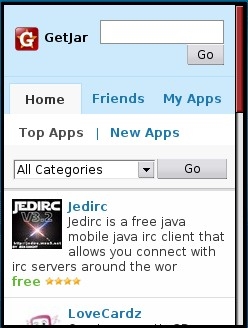
GetJar: getjar.com If GetJar says it doesn’t recognize your phone choose Samsung, Motoroloa , LG or Java. It doesn’t seem to matter which.
Mobileratedmobilerated.com/wap/


I have a incoginto phone .. when trying to download … it always give me a error that says”data error attribute mismatches
If you have access to a PC found that it’s faster to download the JAR files and then upload them at http://rumkin.com/tools/sprint/. You can also install wallpapers and ringtones there. -Samsung Seek
is there any good music players that work good on the seek? i dont like the one that comes with the phone because it has no equalizier and i like setting it to classic or rock..
I don’t know which music players might work on the Seek. There are a bunch on GetJar. If you find one that works let us know.
Hey I have a boost 8530, can I use these apps too or won’t they for my phone. Does anyone know of any where else I can get free games or apps?
I few of the games and apps on here might work. Click on the JAD link in the BlackBerry browser to try installing them.
You will have better luck with Blackberry specific apps. I’m not sure if the Boost Blackberrys have BlackBerry App World installed or not but if they do it’s a good source. There also big list of free BlackBerry apps and games with links here: http://www.blackberryforums.com/aftermarket-software/61499-list-latest-versions-3rd-party-software-mini-version-tracker.html and http://wap.getjar.com has some BlackBerry apps too.
Couple more sites with good CDMA downloads (downloaded & tested on Sanyo Incognito) are zedge.com and wapand.com.
The screen size on the Incognito (and Juno?) is 320×240. 240×320 games will run but get cropped. Sometimes. Some games adapt for screen size. Most sites asking for phone type don’t have a listing for the Incognito, or as in the case of zedge.com have it listed but say they have no apps for it. I found that it’s worth trying different phones listed. Just because a game/app is smaller than your screen size doesn’t mean it won’t run. It just won’t be full-screen. Some apps made for a smaller screen size won’t show up on a search for a 320×240 so I bounce around a few phones with different screen sizes.