04.22

Updated 22-Apr-2010: Until recently, the only way to get Life in Pocket was to visit the LifeInPocket.com PC site and to register and then push the app to your Boost or Nextel phone. The PC site is Flash based and doesn't work with mobile browsers, so users without a PC were out of luck. Now Life in Pocket has made their LIPsignup app available for direct download from a mobile friendly page at lifeinpocket.com/s.html.
The direct download doesn't work with iDEN phones but it did make it possible for me to add to to BoostApps where Boost iDEN and Nextel USA users can send it to their phones using the Send to Phone button below.
Note that the LIPsignup app is just a small 33KB loader that lets you register for the service. When you register be sure to choose the right carrier (Boost or Nextel) and enter your mobile number correctly as 10 digits with no leading "1". When you finish registering, exit the signup app and go to Download Apps again and you will see a new "LIP_056" download - which is the actual 736 KB Life In Pocket App.
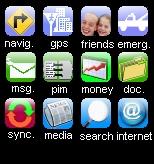
LifeInPocket is the only free GPS aware turn by turn navigation app with voice guidance I've found that runs on the Motorola iDEN phones. It actually does a lot more than just navigation including free messaging with other LifeInPocket users, a friend and family locator, address book and text note synchronization, calendar, task manager, weather forecasts and a news reader.
LifeInPocket tries to do too much, in my opinion. It's a huge app, consuming over a megabyte of precious space on the handset. Navigating the menus is confusing and the LifeInPocket website is worse. Fortunately the core navigation feature works really well, with loud, clear and timely voice prompts. There's no reason to pay $9.95/month for BoostNavigator or Sprint Navigation when LifeInPocket does the same thing for free.
Type: Freeware
Author: Roadcomm - Product Page, Help
Data Connection Required: Yes
Supported iDEN phones: All Falcon Series with Java (i776, i465, i9, i290, etc.)
File Size: 736 KB
im tryng to dl lifeinpocket. this is what i did. 1 i went to lifeinpocket.com using opera mini 4.2 in my i465 2 .i created añ account 3. when i tryed to dl it i asks me if my phone its a blackberry but it doesnt give any óptions.what do i do? im stuck
In your account setup at LifeInPocket you have to select Boost as your mobile operator then it will let you download. Or just download it from this page using the "Send To Phone" button.
So it seems to work ok.. but the one issue I have is that I can't find the place to upload documents. Any links or walk throughs?
I like google mobile maps better. easer to use.
im having trouble with this app 2. cant login 2 website.
Dennis,
I think ive figured it out a little bit. The nav DOESNT work. I have to go into the GPS and it gives ODD directions... then I had to change the default setting from QUICKEST to SHORTEST.
To make this semi effective/useful, you need to register for the site and create your HOME address in one of the categories. From there, you can enter the GPS, goto the link whereever you stored it, and just click it and click "take me there" and it will tell you how.
Hope that helps guys. Half the other shit=not working for me. Opera doesnt load, and the sync of settings for the website to phone take 4-5 times (required to find the address on your phone)
lol
i got it downloaded on my i 465 both steps but cant personalize it on the i net it says unavailable and to try again later
Dennis,
You should add some of these questions as a FAQ or something- seeing as how LifeInPocket doesnt have a FAQ. I answered half my issues/questions reading this page. Haha.
I've figured out that the "Networking 500 error" is due to an invalid address, or I search for something that isn't there.
If you could tell me how to just plug an address in and have it give me the navigation...thatd be ideal. Any suggestions?
To navigate to a new address using only the mobile app you should be able to:
Click Nav.
Click Enter Destination
Pick any category
Enter a Business name or first and last names.
Click Enter Address
Enter street address, city and state.
However when I do that with an address I know is valid, I always get "Network 500 Error"
I think im retarded or something. I have two issues that keep occuring:
A ) Takes forever just to figure out where the fuck I am, aka searching GPS Satellite
B ) You can't just enter a random address and hit go, you have to name it, add to address book, give it a title, and all other type of random wasteful information.
A is probably due to my shitty service/full reception yet slow data speeds. B is likely due to me being unable to use the program... I've managed to get it to read me one address, that I added via the website (I basically created my home address like 6 different ways, quicklinks, personal, etc) just so I could get it to show up....but it seems pointless if I have to pre-add each and every address before hand on the PC....
The GPS on Boost iDEN phones is not very sensitive. It does take a long time to get the initial position each session regardless of what app you are using. Being outside and stationary with a clear view of the sky helps as does extending the antenna.
Agreed the Life In Pocket user interface on phone and PC leaves much to be disired. Whether this app is worth you time and trouble depends on how badly you want free navigation on the phone. Some people like this app, I've pretty much given up on it myself.
this app works on my i465 just fine. however i hope you have a full tank of gas and like scenic routes cause the directions are trying to take me all through town. i guess it doesnt know how to stay on the freeway and go straight.
ok,so I sent phone&installed the 1st.part,registerd ect.installed part 2.works fine on i776.so it tells me to go to the w.site but win I sing in it sais system unaval.try later.did I mis a step somewere?still a cool app.
ok i will keep trying
Do I need to have the GPS enabled through Boost Mobile?
I use the 50.00 a month unlimited without GPS and have not got it to work? I dont want to Pay 10.00 more a month!
THANK YOU!
Thank You Dennis for the wonderful site and time you take out of your day!
GPS is always enabled on Boost. The 35 cents a day is just to use the built in browser, you don't need it for GPS.
when i try to use the navigator and enter a destination...i entered my moms location and i get this message.."network error:500 internal server error!" ...help please
That's an error with the Life In Pocket server. It's probably a temporary error due to server overloading. Life in Pocket has plenty of flaws including frequnt server errors but it is the only free navigation app that works on Boost iDEN phones.
Hm, it works for me. Please retry.
If the error persists is it on the first "LIPsetup" download or the second "LIP_056" one?
the directions this app gives are terrible. i set it to quickest route to my in-laws (125 mile trip roughly) and it routed me clear across the state totalling 375 miles. Absolutely terrible! If i use shortest it keeps routing me off the interstate.
Please make this app download on boost 6760 incognito...come on....
Yes. You cannot go and directly download this program using your telephone. You have to go to the internet site on a computer first, set up your profile.
Then go to the website using your cellphone and the Opera browser and try to "download". At that point it will ask you to enter your account name or your cellphone number and then it you can download the program like any other program.
I read here that people complain about the program being slow, but it seems to run fairly fast on my i465.
All of my personal contacts showed up on the device, I can check both Facebook and my Hotmail account on it. Its primary strength is the GPS function and that works well.
Why does this page say it will work with I465 but when you go to the website now it says it only is supported by blackberries... would love to try it.. but can't download it..URG
If you create an account at Life In Pocket and select Boost Mobile as your operator it will let you download.
i know it doesn't work on my i855... i think it had a java error and reset phone. looks like it be a great app... but "sigh"
What a great site you have here , lots of great apps . Any chance you know of an ice hockey game that will work on my sanyo incognito ?
Sorry this site's focus is apps for Boost iDEN phones. I don't know have any idea what works on the Incognito and other Boost CDMA phones.
In the future please post requests and general questions on the Requests page rather than making off topic comments on random posts
I so would like to download this app. Life in pocket..on the sanyo 6760 by boost.. But it will not let me says my phone to old i just got it. 2/10.... Boost needs a big up grade on there so called new phones you pay 200 for the phone it should do some cool & fun stuff havent yet found a free gps for this incognito.. Have to buy from boost!!!!???
I don't have any experience with that phone. It's not old though so that message that you are getting from LifeInPocket is bogus. Try asking LifeInPocket support at beta@roadcomm.com for help.
Lifeinpocket can you make it for boost incognito sanyo 6760??? Please...my boyfriend has it runing on his i856..and it works
As explained in the post you have to get LifeInPocket from http://lifeinpocket.com
won't load on my i855... says memory error. not worth taking oter stuff out for it
dl'ed this to my i465 how do I use the turn by turn voice thingy, cannot seem to find that function, which is it? and how do I use it? is it like a regular gps system?
I loaded it on my i870. I won't be taking it off, but it's routing is rudimentary. When it says it's going into power savings mode, it's still working and will talk to you when you get closer to a turn. If you take a call, everything is lost and you need to start over. It doesn't show you where you are at. When you set it up, make sure you don't skip the setup of the places like restaurants, etc. or you won't be able to use them on the road. It runs fast.
I have had no problems with this app on my i465. It is by far the best I've tried. Just have to remember if you missed a turn to re-route so you can get on the right track. Other than that, PERFECT.
I use it on my i465 just fine. You can always try it out. If you don't like it you can delete it. It's free.
Cant get it. Always comes to this said to leave a comment
What do you mean?
in the website it asked if i had a certain series of phones which i dont and even though i said+NO+it told me to choose which series but gave no option for my i856
If the i856 isn't listed, pick a similar phone;
Best is another Motorola iDEN with the same screen size: i850, i860, i870, i880
Next best would be any Motoroal iDEN which is any Moto with a name starting with an i followed by three numbers like i730
If none of those are listed pick a Motorola or Samsung with the same screen size: Motorola V3, RAZR or V600, Samsung A900 or A920
I wouldn't ever count on this for directions to a place you don't know where its at, it will get you lost and you'll have to keep re-routing while driving
I've tested this app on 8 trips and its just not accurate, if it auto re routed itself without lag like a real gps it would be fine, but it will just keep you heading on the wrong path unless you remember to re=route
even sometimes when you hit re-route it will give you the wrong way to go but after 4 times of doing it the right one will pop through
worthless app
downloaded this a while back but I couldn't get some of yhe features to work like traffic, weather, etc...I get an GPS error message. Any ideas on what this is about?
Thanks in advance.
In the phone menu click GPS, then Privacy and select unrestricted. GPS works best outdoors with a clear view of the sky. I find that sometimes I have to turn my phone off and back on again to get GPS working.
how do we get it there is no send to my phone button
From the post:
"You will notice that there is no "Send to Phone" button below. That's because LifeInPocket doesn't make the installation files available directly to users. But they do offer their own send to phone function that works just like BoostApps to send LifeInPocket directly to "Download Apps" on your phone. Just visit lifeinpocket.com on your PC (or Opera Mini on your phone) click the "Download" button and enter the required information."
I download it to my i856, it works great. Thanks it doesnt take a genius to figure out how to use it. Lol it works great. Thanks denis
"You will notice that there is no "Send to Phone" button below. That's because LifeInPocket doesn't make the installation files available directly to users. But they do offer their own send to phone function that works just like BoostApps to send LifeInPocket directly to "Download Apps" on your phone. Just visit lifeinpocket.com on your PC (or Opera Mini on your phone) click the "Download" button and enter the required information." nice info. They pushed the app to my phone just like BoostApps.
It's not perfect but nav is a little bit better than boost navigator. A lot of features but not difficult to use at all. Go through features one by one first gave me an over all idea about what it can do.
The app size is smaller than the boost nav but has more features than boost nav. Oh, it really talks. The map is not as good as Gmap, but Gmap is just a map.
Gmap is nice, it complements life in pocket. Why they are giving those nice apps out for free?
These 2 apps are must have for boost phones. I won't pay $10 for any app anyway.
This app isnt all that great. I have a clutch and I had to set the end point again when I got a text.
If you ever use Boost's Nav App ($10 a months?) you will feel very lucky. This thing is much smaller than the Boost stuff and faster.
What we have are slow and clumsy outdated phones, this is the best we can get. Paid of free.
It's time to upgrade to some real phone!
i really need some honest feedback about the boost navigator. has anyone ever tried it? if so, did it work? im asking this cause on the website it says it is compatible with the i465 clutch, but ive seen reviews people saying the opposite. im starting to think is the phone itself maybe the internal gps in it is not the best . another thing is the screen is so small i dont know how the navigator would work also $10 a month sounds sorta steep for something that probably i would not use a lot. so would someone send me feedback on this matter ? thanks in advance.
If you are having trouble with Life In Pocket finding your location try the following:
In the phone menu be sure that GPS -> Privacy = Unrestricted. GPS works best outdoors,with a clear view of the sky and the antenna extended if your phone has one.
If it still doesn't work:
Power cycle the phone and go outside somewhere with a clear view of the sky, extend the antenna, open the phone menu and choose GPS -> Position. Press the soft key labeled "Refresh" and wait.
The first fix can take several minutes, once it shows your location go back in Life In Pocket and retry. From now on Life In Pocket should be able to locate you on your own as long as you are outdoors with the antenna extended and can see the sky
well, like i said i tried lifeinpocket but deinstalled it . like you said its a huge app and most of it you dont even need. i wish these guys focus on the the navigation feature only and forget about the rest , maybe in the future they'll do something about it.
i downloaded lifeinpocket ,just to try, you know what its not that terrible. i did notice its a very low tech app it reminds me a lot of the boost wap broser i think its a little better, its free!! as opposed to $10 a month on boost .i admit it its not the greatest but im willing to give it a try.i was wondering has anyone know how to set up the navigation feature i havent tried it yet. any feedback will be appreciated.thanx!
Walter, Life In Pocket is not a great app. It's slow, takes up a big chunk of the space available for loading apps, the user interface is a confusing mess and sometimes it refuses to plot a route.
But it is the only free turn by turn navigation app with voice Guidance that works on iDEN phones.
is this app that bad? i was thinking about giving it a try on my cluth but im not sure anymore. can anyone explain? thax.
Great APP??? Did someone actually write that?
You've got to be kidding me! What have you been doing for directions before My Life...dropping "bread crumbs" like Hansel and Gretel?
Let me be brutally honest! The My Life APP is the biggest POS and the most rudimentary APP that I have experienced in a long time!
Sometimes you can get a great app for free, but not in this case!
The website and the instructions are crap too!
Thanks to My Life for trying, but do yourself a favor...buy a GPS device if you need directions!
Sorry, but I have to tell it like it is in order to save others from wasting time trying to decipher this train wreck!
This is a great app that makes my cheap Boost phone useful if you follow the instruction to personalize for your own life style.
Navigation voice is loud, clear and precise. Fully hands and almost eyes free, web features are on click without typing. It'ss faster and much smaller than Telenav's $10 per month nav only app.
No, but when you resume it doesn't it pick up where it left off? That's what I'd expect to happen though I haven't actually gotten a call while using it
is there any way to keep this app from becoming suspended by an incoming text or call?
Thanks so much for all that you do!! I wasnt really impressed with my phone becase there wasnt to mush i cold do on it....Now i love it!!! (except for the slow messaging service) But i can learn to deal with that..lol!! THANKS AGAIN...YOU ROCK!!
its just too big of a file for most small memory nextel phones, I mean it will work fine but you can't have any other apps running with it or java memory will run out.
the other bad thing is while have the turn by turn running if someone calls and interupts, you can't just resume you have to re-enter your destination and re-scan for satelites
best free turn by turn gps app though
I agree installed and deleted has to much and to confusing to use mgmaps works better for gps
You're right. Way to many things in one package. Installed it and deleted it twice. Better when an app does one or two things well than when one does a bunch of things sorta ok.