2009
10.08

Nimbuzz
Nimbuzz is a multi-network IM client that supports Skype®, Windows Live Messenger (MSN®), GoogleTalk, Yahoo!, AIM®,  ICQ®, Hyves and StudiVZ.  You can chat with your friends on any of these networks from a single contact list and inbox.

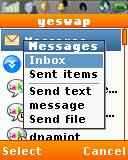
It works pretty well except that some of  the key mappings are wrong:
1. Press the green "Call" key for "OK" key's action
2. Press the right soft key for the left soft key's action
3. Press the menu key for the  right soft key's action
4. Exception : When entering text in a pop up window the soft keys (labeled OK and Cancel) work as labeled.

Type: Freeware
Vendor: Nimbuzz - Product Page, Online Help, Forum
Data Connection Required: Yes
Supported iDEN phones: All Falcon Series (i776, i465, i9, i290, etc.)

Motorola iDEN phone users (model numbers starting with "i" like i465, i856) click here:

Boost CDMA users (Incognito, Juno, Seek, etc.) and non-Boost users load this page in the phone browser and click here: JAD
Alternate links for side loading: ZIP JAR

8 comments so far

Add Your Comment
  1. When i try to download nimbuzz in nokia 2626,it shows 'file too large to be saved'but my phone memory is free.what can i do?

  2. I have nokia 2626 when i starts this app it starts testin connection and after sometime it shows that it is not able to create a HTTP connectin and stops working

    • You need to configure your phone to assign a working packet data access point to Java apps. This can be quite complicated and you will likely need to do some research and experimentation. A good starting point would be to read: Solving Opera Mini Connection Problems

  3. will this version work on a java mobile? coz i have a micromax Q5 and i have installed it and when it says test connection its giving an error saying not able to connect. my opera browser is working absolutely fine.

    • It's a mobile Java app but that doesn't nean it will work on all Java mobiles. If you have configured it to use the same APN as Oper and it doesn't work, it's not compatible

  4. To add AIM:
    Press the right soft key for the Menu
    Scroll down to "Settings" and press the green "Call" button
    Scroll down to "Communities" and press the green button
    Highlight AIM and press the green button
    Enter your AIM Username and Password and press the right softkey (labeled "Cancel" but it's really "OK")

    If you have a PC you can also add networks at http://nimbuzz.com

  5. how you get aim on it only shows yahoo?